OM System AS-2700 Transcription Kit
$299.99
Efficiently receive, organize, and transcribe audio files with speed, accuracy, and hands-free control for streamlined, productive workflow.
Professional Transcription Made Easy
The AS-2700 Transcription Kit gives you everything you need to handle digital dictation quickly, accurately, and with minimal effort. Built for efficiency, it’s designed to help transcription professionals work faster and more comfortably, while maintaining a high level of accuracy.
What’s Included in the Kit:
This all-in-one solution includes powerful software and reliable hardware, ensuring smooth integration into your daily workflow. Whether you’re working with medical notes, legal files, or business documentation, the AS-2700 makes transcription seamless.
-
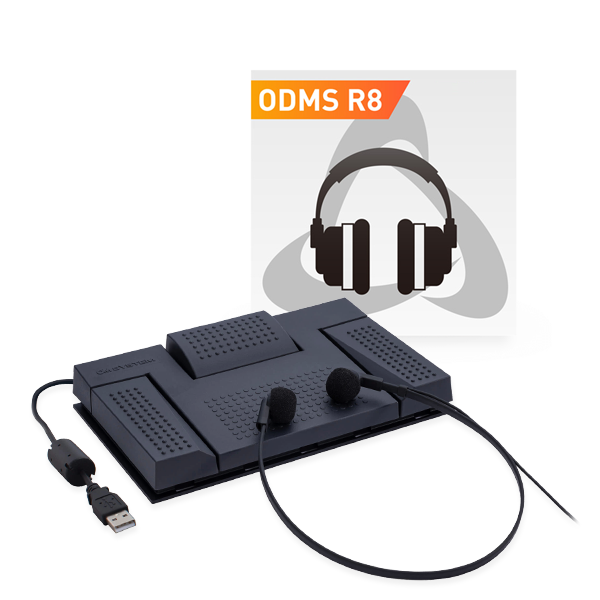
ODMS R8 Transcription Module – manage, play back, and control dictation files.
-
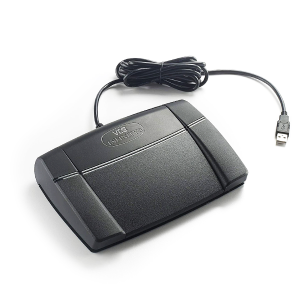
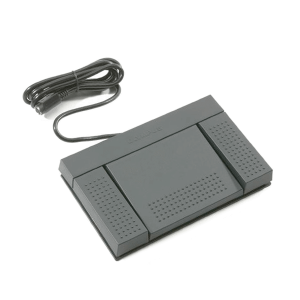
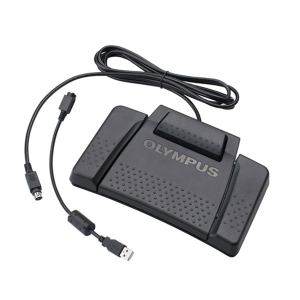
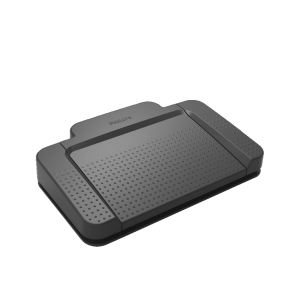
RS-27N Foot Pedal – hands-free operation so you can focus on typing.
-
E-103 Headset – lightweight and comfortable for long transcription sessions.
Key Benefits:
- One-time purchase, no subscription fees
- Full playback control with adjustable speed and loop
- Mark priority and add comments to audio files
- Live status updates to track progress
- Efficient folder and filter management
- Automatic document association and routing
- Secure audio decryption
Intuitive, User-Friendly Interface
The AS-2700 Transcription Kit features a streamlined audio workflow interface that balances simplicity with advanced functionality. Designed to maximize productivity, it allows transcriptionists to navigate, review, and manage audio files efficiently.
Review & Editing Made Easy
Transcriptionists can control playback speed, loop sections, and insert index marks for key points. Files can also be edited, converted between formats, or annotated to maintain accuracy.
Folder & Filter Management
Dictations can be sorted into folders based on author, work type, or pool. These folder structures are mirrored across the network, making organization simple and consistent.
Priority Management
Dictation files can be marked as high or normal priority, allowing transcriptionists to focus on urgent tasks first. This system keeps workflows organized and ensures timely project delivery.
Document Association
Audio files can be linked directly with their transcripts for complete records. This feature improves accessibility, strengthens documentation, and makes referencing straightforward.
Add Context with Comments
Each file can carry an author ID, work type, and embedded notes. This added context is especially valuable for legal and medical transcription, helping reduce errors and improve clarity.
Automatic Routing
Dictations are routed automatically via shared storage or email, based on set rules like author ID or work type. This reduces manual effort while ensuring fast, accurate delivery.
Real-Time Status Updates
ODMS R8 lets authors and transcriptionists stay connected. File progress – unfinished, pending, or completed – can be tracked at a glance, improving teamwork and communication.
Supported Audio Formats
The AS-2700 supports DS2, DSS, WAV, and MP3, encrypted or unencrypted. This wide compatibility makes playback, review, and secure sharing easy across different devices.
Flexible Transcription Options
Dictations can be handled traditionally or through speech recognition software (sold separately). This flexibility saves time, reduces repetitive tasks, and adapts to different workflows.
Online Meeting Recording
ODMS R8 records Teams, Zoom, or Webex meetings in DSS Pro format, shrinking file size by up to five times compared to WAV. All recordings are secured with 256-bit AES encryption.
Frequently Asked Questions
Can I use the AS-2700 without a foot pedal?
Yes. The RS-27N foot pedal allows hands-free control for faster transcription, but you can also operate the software entirely with keyboard shortcuts if preferred.
Which audio formats are supported?
The AS-2700 supports DS2, DSS, WAV, and MP3 formats, both encrypted and unencrypted. This ensures compatibility with a wide range of recorders and workflows.
Can I customize the foot pedal functions?
Yes. The RS-27N foot pedal can be programmed using the Windows Configuration Tool. You can assign functions, switch modes, and tailor it to your needs.
Does the ODMS R8 require a subscription?
No. ODMS R8 On-Premise is a one-time purchase with no ongoing costs. Updates, patches, and security improvements are included for the full life of the release.
Can I transcribe recordings from online meetings?
Yes. ODMS R8 can capture audio from Teams, Zoom, and Webex sessions. Files are stored in DSS Pro format, reducing size while maintaining high audio quality.
Is the kit compatible with speech recognition software?
Yes. ODMS R8 integrates with third-party speech recognition tools. Dictations can be converted automatically, then quickly reviewed and corrected as needed.